
How to Use AI for Visual Merchandising Without Getting Generic Advice
AI is becoming part of the way many retailers look for quick answers. Whether someone is asking Google, ChatGPT, Gemini, or another platform, it is very common now to type in a question like: “How can I create engaging in-store window displays?” It is a fair question.
Window displays are one of the most visible parts of a retail space, and for many retailers, they are also one of the hardest areas to keep fresh, strategic, and effective. But, the challenge is that a broad question usually leads to a broad answer. AI may suggest things like “tell a story,” “use colour,” “create a focal point,” “add lighting,” or “feature seasonal products.” None of that is necessarily wrong, but it is also not enough. Most of those answers could apply to almost any store, in almost any neighbourhood, at almost any time of year, and that is where retailers can waste a lot of effort.
At VM ID, we do not see AI as a replacement for visual merchandising expertise. We see it as a tool that can sometimes help retailers organize their thinking, generate ideas, or explore options. But like any tool, it only becomes useful when it is guided properly. The real value is not just in asking AI for ideas. The value is in knowing what information to give it, how to assess the answer, and when to recognize that the advice is too generic to apply to your actual retail space.
Where AI Can Fit Into Visual Merchandising
AI can be helpful in visual merchandising when it is used as a brainstorming or planning support tool.
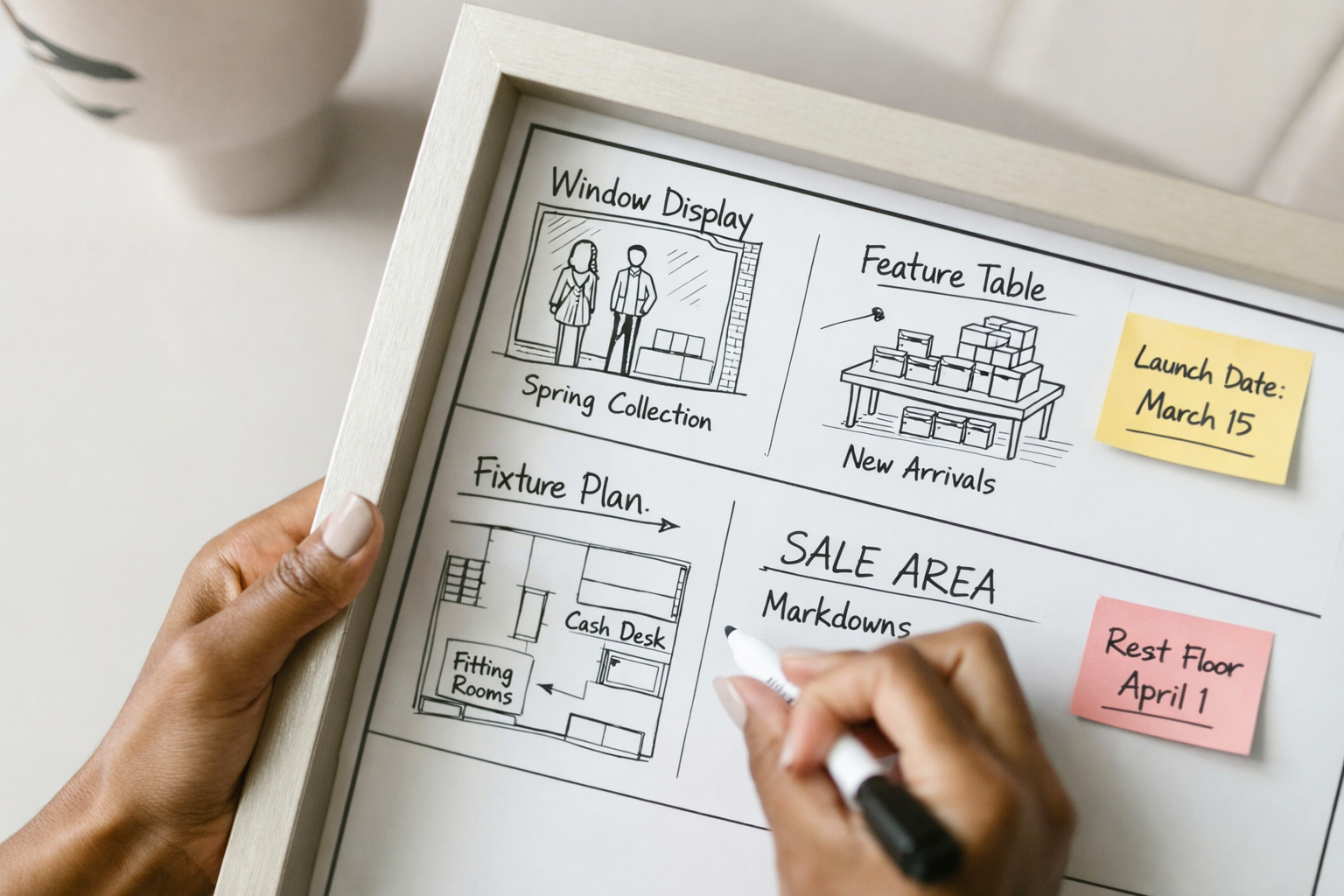
For example, it can help you:
generate possible display themes
organize product ideas
think through seasonal messaging
create a checklist for a window display
compare different display directions
draft signage language
identify questions you may not have considered yet
Where AI becomes less helpful is when it tries to give visual merchandising direction without understanding the full context of your store.
Visual merchandising is not just about making something look nice. It is about creating a shopping experience that supports your customer, your product, your space, and your business goals. It involves layout, product hierarchy, customer flow, sightlines, inventory levels, brand positioning, timing, labour, and physical limitations.
That is why a generic AI answer can sound polished, but still be completely unrealistic for your store.
The Problem With Asking AI a Basic Window Display Question
If you ask: “How can I create engaging in-store window displays?” you will likely get a very general answer. It may tell you to choose a theme, create a focal point, use strong colours, add props, and update the display regularly. Again, none of that is necessarily bad advice. But it does not tell you what your window should actually look like, what products should be featured, what story makes sense for your customer, or how to work with the space you physically have. That is the difference between general inspiration and actual visual merchandising strategy. A better AI prompt needs to include the kind of information a visual merchandising consultant would want to know before giving direction.
A Better Way to Ask AI About Your Window Display
Instead of asking a broad question, give AI more context. Try starting with something like: “What should the visual merchandising look like for my store window display? Before giving me ideas, please consider the following information.”
Then include details such as:
1. Who the display is for
Describe your target customer and the neighbourhood your store is in. Are your customers busy professionals, young families, tourists, loyal regulars, gift shoppers, luxury buyers, wellness-focused shoppers, or value-driven customers? Are they walking by quickly, browsing slowly, or coming in with a specific purchase in mind. The more specific you are, the more relevant the ideas can become.
2. When the display will launch
Timing matters. A spring window, summer travel story, back-to-school feature, holiday display, or post-holiday refresh will each need a different approach. The timing affects colour, product selection, messaging, urgency, and customer mindset.
3. What story or message you are considering
Tell AI what kind of story you are thinking about. For example, you may want to focus on a particular storyline, theme, campaign, message or event, and want the display to feel fresh, celebratory, calming, giftable, premium, playful, practical, local, seasonal, or trend-driven. You can also ask AI to suggest alternate story directions based on your products and customer.
4. What products you are considering featuring
Be specific. Instead of saying “new arrivals,” list the actual product categories, collections, colours, price points, or bestsellers you are considering.
For example:
linen dresses in neutral colours
handmade candles and bath products
back-to-school lunch accessories
premium footwear for travel
holiday gift sets under $50
locally made pantry items
jewellery for bridal season
AI can only work with the information you provide. If the product description is vague, the display direction will likely be vague too.
5. What the goal of the window display is
A window display should have a purpose.
Are you trying to:
grab attention from the street?
increase store traffic?
sell a specific collection?
introduce a new product category?
shift older inventory?
support a seasonal campaign?
improve brand perception?
make the store look more current and professional?
A successful window display is not only about how it looks. It should support a business goal.
6. What has worked before
If you have had past display success, include that information. For example, did a certain colour story bring more people in? Did customers comment on a specific display? Did a product sell better when it was shown in a certain way? Did a simpler window perform better than a fuller one? This helps AI build from actual customer behaviour instead of starting from scratch.
7. What physical limitations you need to work with
This is one of the most important pieces.
Include details such as:
window size
whether the window is open-back or closed-back
whether there is a back wall
whether customers can see through into the store
available fixtures
whether you can hang from the ceiling
whether you can attach anything to walls or glass
access to electrical outlets
lighting limitations
budget (specifying material)
labour support
installation time
how often the display can be changed
A beautiful idea that cannot physically be installed is not a useful idea.
The Follow-Up Question That Makes AI More Useful
Once you have provided the context, ask AI this: “What else would you like to know before giving me the best window display ideas based on these notes?” This is an important step because it forces the tool to identify missing information before jumping into solutions. Answer those questions, then ask for display ideas. From there, you can review the suggestions with a more critical eye.
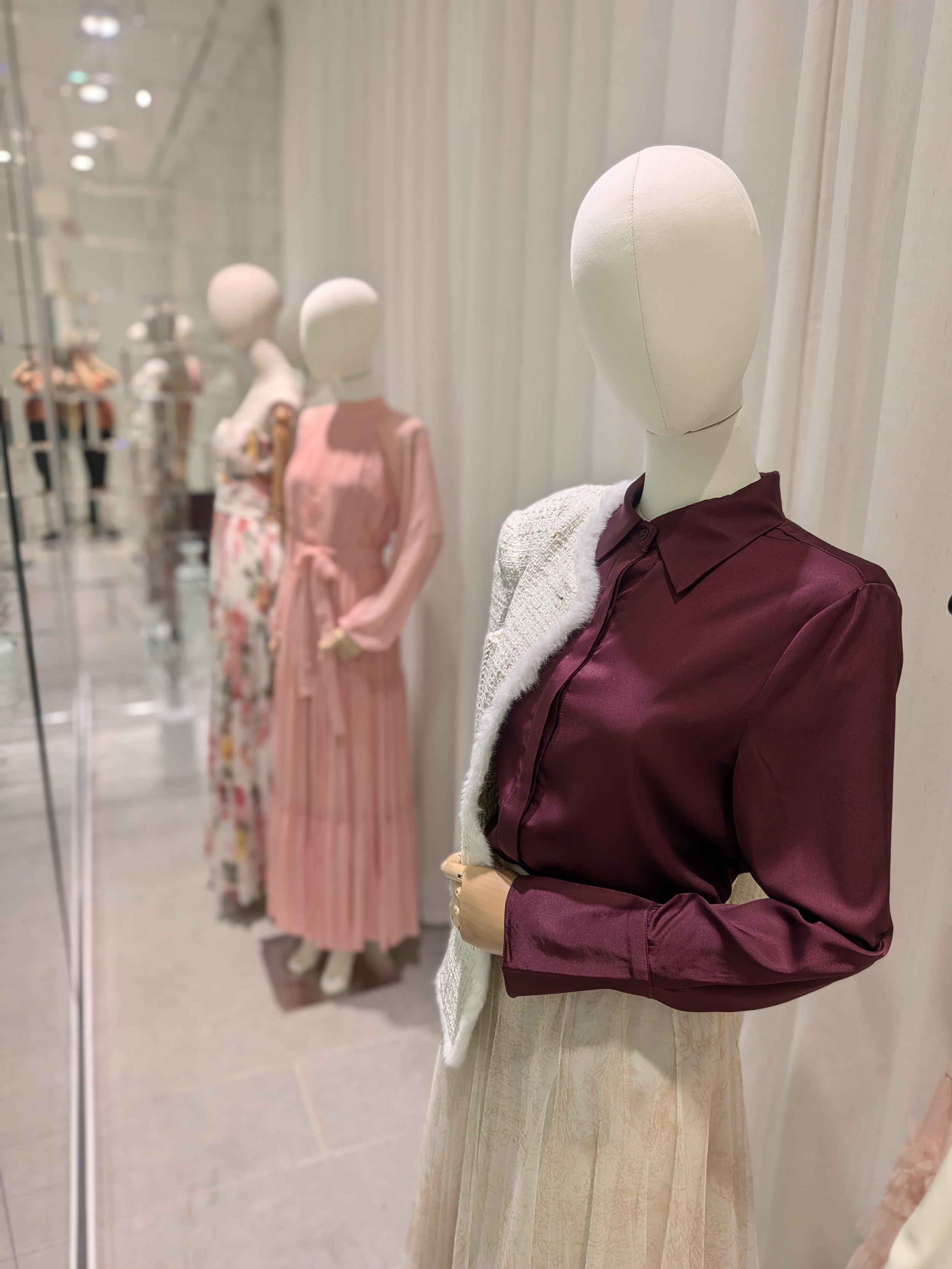
AIMEE BOUTIQUE, OTTAWA
How to Assess the AI’s Visual Merchandising Suggestions
This is where your own judgment matters. You know your store, your customer, your product, and your space better than any AI tool does.
When reviewing the suggestions, ask yourself:
Does it feel aligned with my brand?
Does this idea make sense for my customer?
Can I actually execute this with my time, budget, fixtures, and team?
Does it support the product I need to sell?
Is the idea clear from outside the store?
Would the display still make sense from a distance?
Is it too generic or too complicated?
Is it visually interesting, but not commercially useful?
Does it solve the actual problem I am trying to address?
Sometimes the most useful part of an AI-generated idea is realizing what you do not want. That still has value. It can help you clarify your direction, sharpen your thinking, and identify what information was missing from your original prompt.
Why AI Still Needs Human Visual Merchandising Expertise
AI can generate ideas, but it does not physically stand in your store. It does not understand the way a customer’s eye moves across your window. It does not know how your fixtures feel in real life, how much product you actually have, how your lighting behaves at different times of day, or how your team will maintain the display once it is installed.
It also does not always know whether the information it is pulling from is correct, current, or relevant. AI often gathers from what already exists online, and not all visual merchandising advice online is strategic, accurate, or applicable. That is why human filtering is still essential.
A strong visual merchandising strategy considers both the creative idea and the operational reality. It connects the display to the customer journey, the product story, the business goal, and the physical environment. That is where experience matters.
A Smarter Way to Use AI Over Time
If you do decide to test an AI-supported display idea, do not stop at the idea stage. Track what happens.
You may want to note:
whether more people entered the store
whether customers commented on the display
whether featured products sold
whether staff found it easy to maintain
whether the display helped explain the product story
whether the window felt clear from outside
what you would change next time
Then, the next time you use AI, give it that information. Instead of starting from scratch, you can say: “Here is what we tried last time, here is what worked, here is what did not work, and here is what we want to improve.” That makes the tool more useful because it is building from your actual experience, not just general advice.
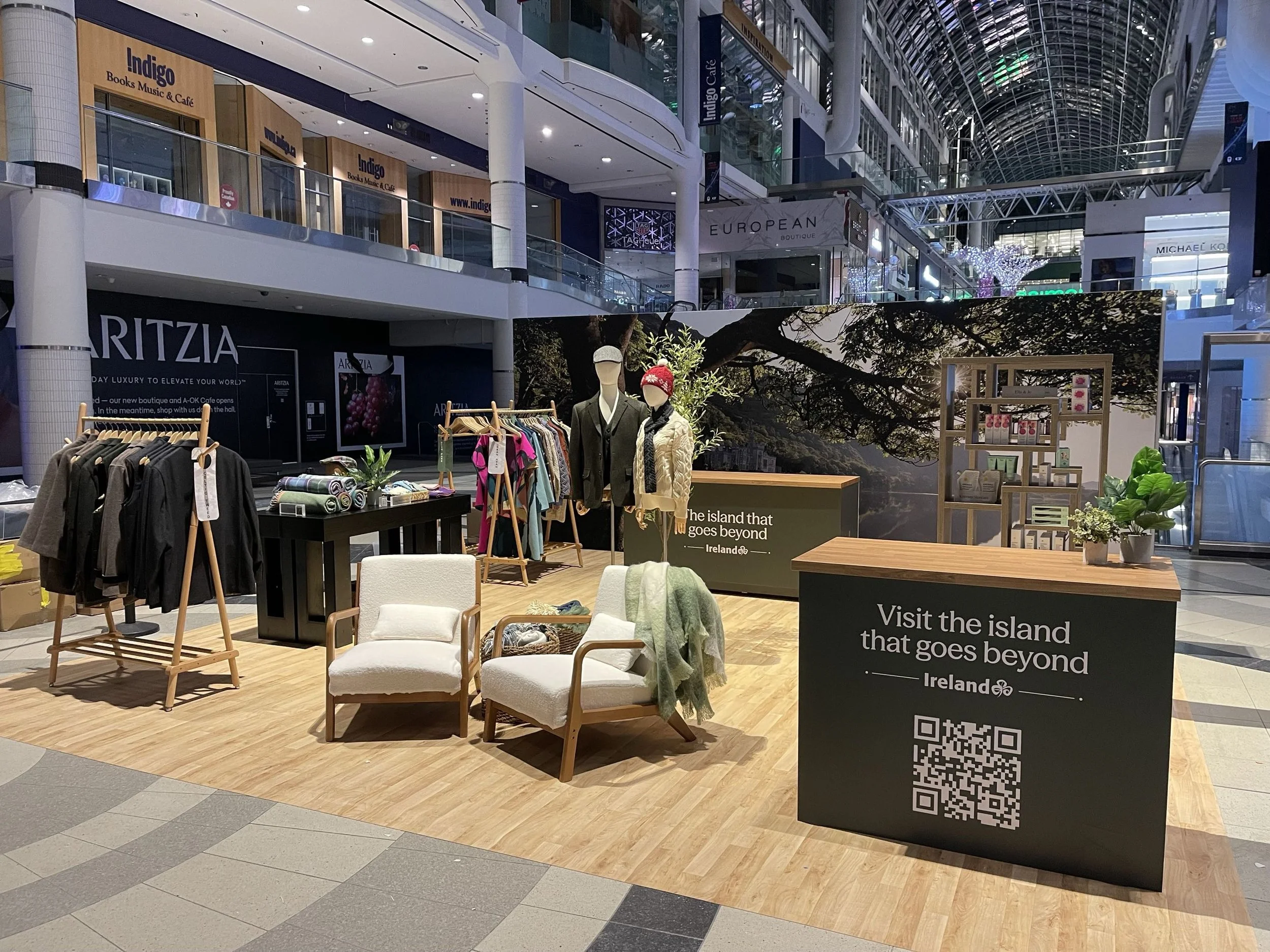
ENTERPRISE IRELAND POP-UP DISPLAY, EATON CENTRE
So, Should Retailers Use AI for Visual Merchandising?
AI can be useful for visual merchandising if you treat it as a support tool, not the final expert. It can help you brainstorm, organize your thoughts, and explore possibilities. But it still needs strong context, careful review, and human judgment. If you ask a generic question, you will likely get a generic answer. If you give it better information, ask better follow-up questions, and assess the response through the lens of your real store, you may get more useful inspiration. And if the answer still feels unclear, unrealistic, or too broad, that is usually a sign that your store needs more strategic direction, not just more ideas.
A Quick Note About Privacy:
Be careful about what you share with AI tools. Avoid entering confidential business information, private sales data, unreleased product details, internal strategy, customer information, or anything you would not want shared outside your business. Different platforms and account types may have different privacy settings, but it is always best to be cautious.
Looking for Visual Merchandising Tools That Are Not AI-Based?
If you are looking for more structured support, we have created downloadable tools to help retailers think through their visual merchandising with more clarity and confidence. These tools are designed to guide the right thinking behind your retail space, so your visual merchandising decisions are not random, rushed, or based only on inspiration.
1. Self-Assessment Tool
The Self-Assessment Tool helps you identify top visual merchandising opportunities based on your current sore points. It is designed to help you reflect on areas such as traffic, conversion, purchasing behaviour, and customer frequency, so you can better understand where to focus first.
Visual merchandising does not need to feel like guesswork. Whether you are using AI for inspiration or working through structured tools, the goal is the same: to make your retail space clearer, more engaging, and easier for customers to shop.
2. VM Floorplan Guide + 3. Space Allocation
This tool helps you think through your retail floor plan, product placement, and space allocation more strategically. It is especially helpful if you are trying to understand how much space different product categories should receive and how your layout can better support the customer journey.
3. VM 101 Starter Kit
The VM 101 Starter Kit is a collection of our main DIY tools and training resources, created to help retailers understand the fundamentals of visual merchandising. It is a strong starting point if you want to build better internal habits, train your team, and create more consistent retail presentation standards.